

Top 10 Microsoft 365 Security Controls Every Charity Needs
-
15/07/2026
- 6 minutes Read
Cyber security isn’t just an IT issue, it’s a governance issue
Charities have never relied on technology more than they do today. From managing donor relationships and protecting beneficiary information to enabling remote working and collaboration, Microsoft 365 has become the digital backbone for many organisations.
Unfortunately, cyber criminals know this too.
Phishing attacks, ransomware, compromised accounts and accidental data loss are no longer problems faced only by large enterprises. UK charities of every size are increasingly being targeted, often because attackers believe they have fewer resources and weaker security controls.
The good news is that improving your cyber security doesn’t require dozens of different tools or a complete technology overhaul.
Microsoft 365 already provides an extensive range of security capabilities. The challenge is knowing which controls matter most and implementing them in the right order.
That’s why we’ve developed the Bunker Microsoft 365 Security Framework for UK Charities a practical guide to the ten security controls we believe every charity should review.
Whether you’re a CEO, trustee, finance director or IT manager, this framework will help you understand where to focus your efforts and reduce cyber risk without unnecessary complexity.
Why charities should take Microsoft 365 security seriously
Charities hold a wealth of sensitive information, including donor records, beneficiary data, financial information and confidential trustee discussions.
A single compromised account can result in:
- Loss of sensitive information
- Financial fraud
- Operational disruption
- Reputational damage
- Regulatory investigation
- Loss of public trust
The National Cyber Security Centre (NCSC) continues to highlight phishing and compromised identities as some of the most common causes of cyber incidents. Rather than relying on a single security product, organisations should implement multiple layers of protection so that if one control fails, others continue to protect the organisation.
That principle, often referred to as defence in depth forms the foundation of our framework.
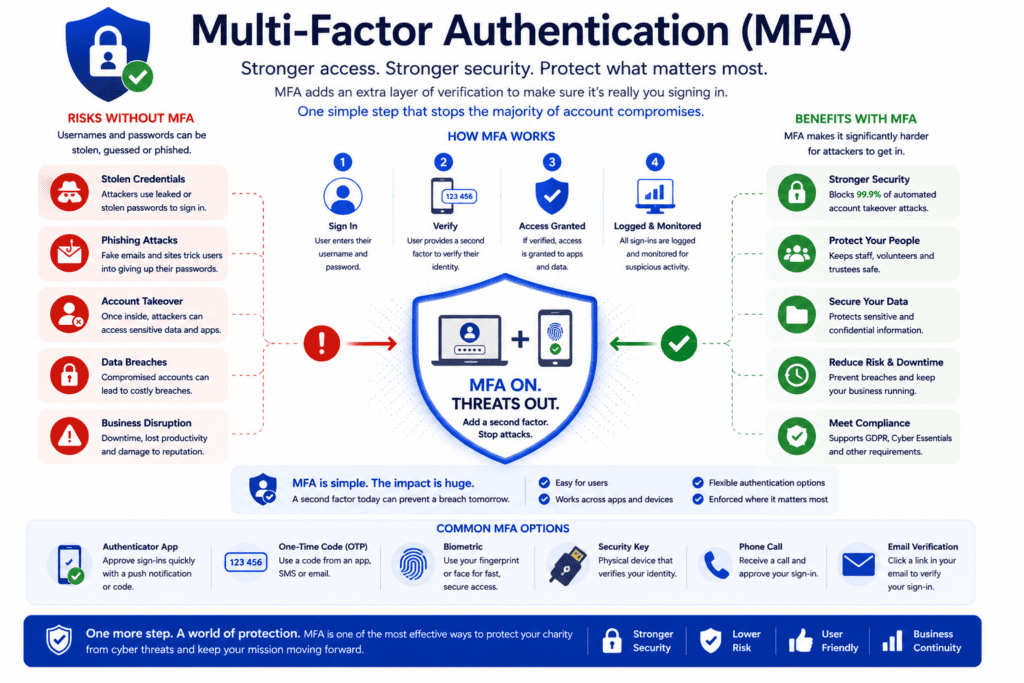
1. Multi-Factor Authentication (MFA)
Passwords alone are no longer enough.
Multi-Factor Authentication requires users to verify their identity using an additional factor, such as an authentication app or security key, before gaining access to Microsoft 365.
It’s one of the quickest and most effective ways to reduce the risk of account compromise.
Business benefits
- Prevents unauthorised access
- Protects staff and trustees
- Supports Cyber Essentials
- Increases Microsoft Secure Score
Learn more: Multi-Factor Authentication for Charities
2. Conditional Access
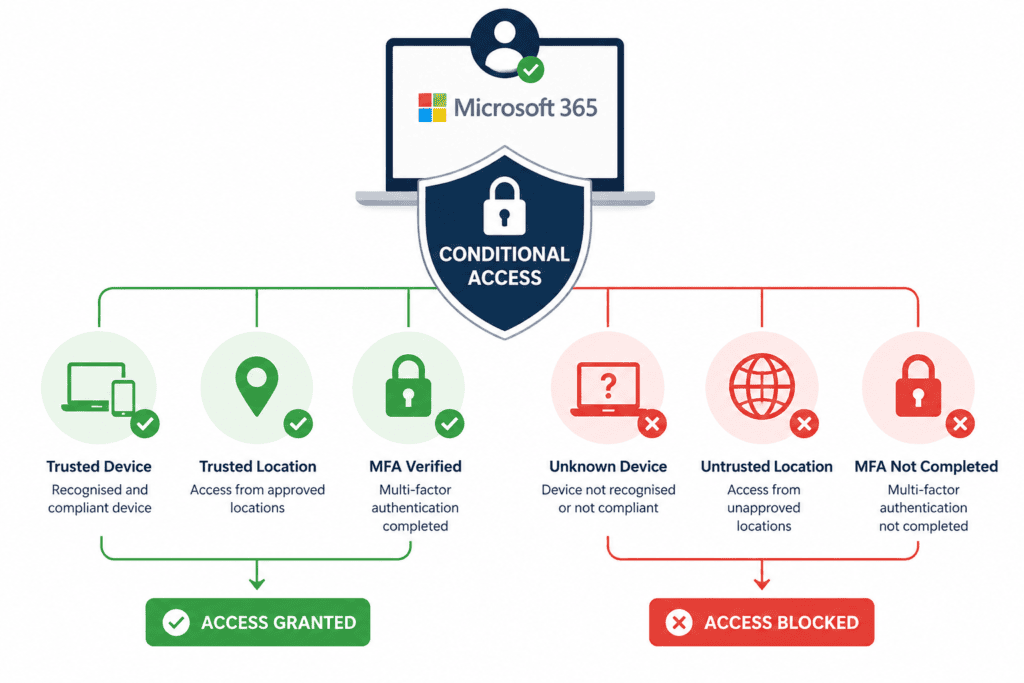
Not every login should be treated equally.
Conditional Access evaluates who is signing in, where they’re signing in from, the device they’re using and the level of risk involved before granting access.
For example, trusted users signing in from managed devices may gain immediate access, while unfamiliar or risky sign-ins can be blocked or challenged with additional verification.
Business benefits
- Reduces unauthorised access
- Protects remote workers
- Enforces consistent security policies
Learn more: Conditional Access for Charities
3. Microsoft Defender
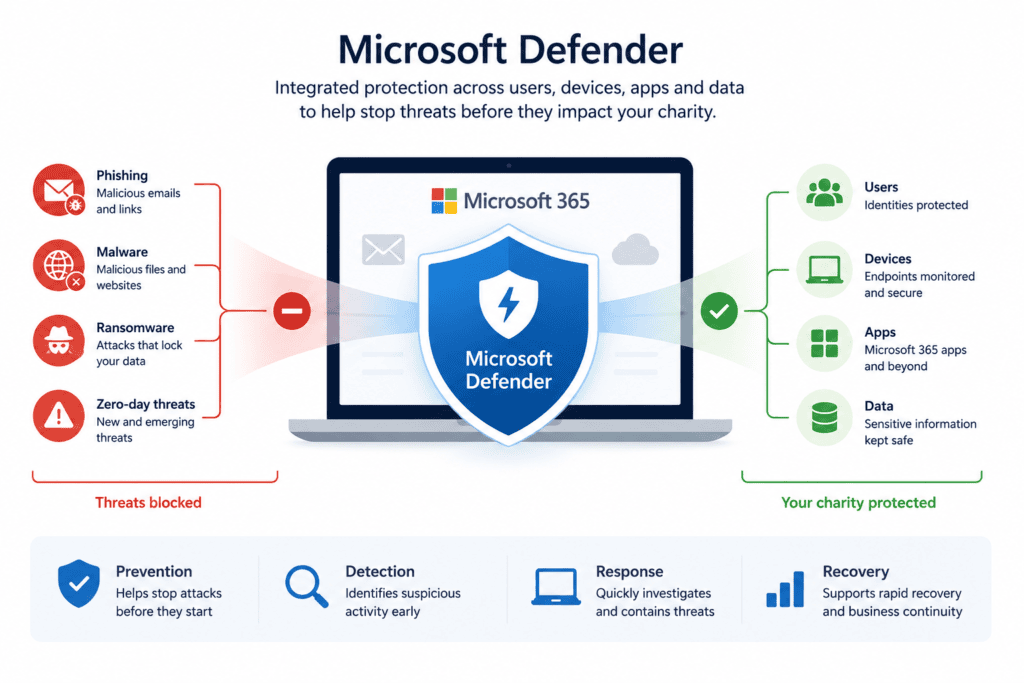
Modern cyber threats require more than traditional antivirus software.
Microsoft Defender provides integrated protection across email, identities, devices and Microsoft 365 services, helping detect and respond to threats before they become security incidents.
Rather than reacting after an attack has occurred, Defender continuously monitors your environment for suspicious behaviour.
Business benefits
- Protects against malware and ransomware
- Detects phishing attacks
- Improves visibility across Microsoft 365
Learn more: Microsoft Defender for Charities
4. Microsoft Secure Score
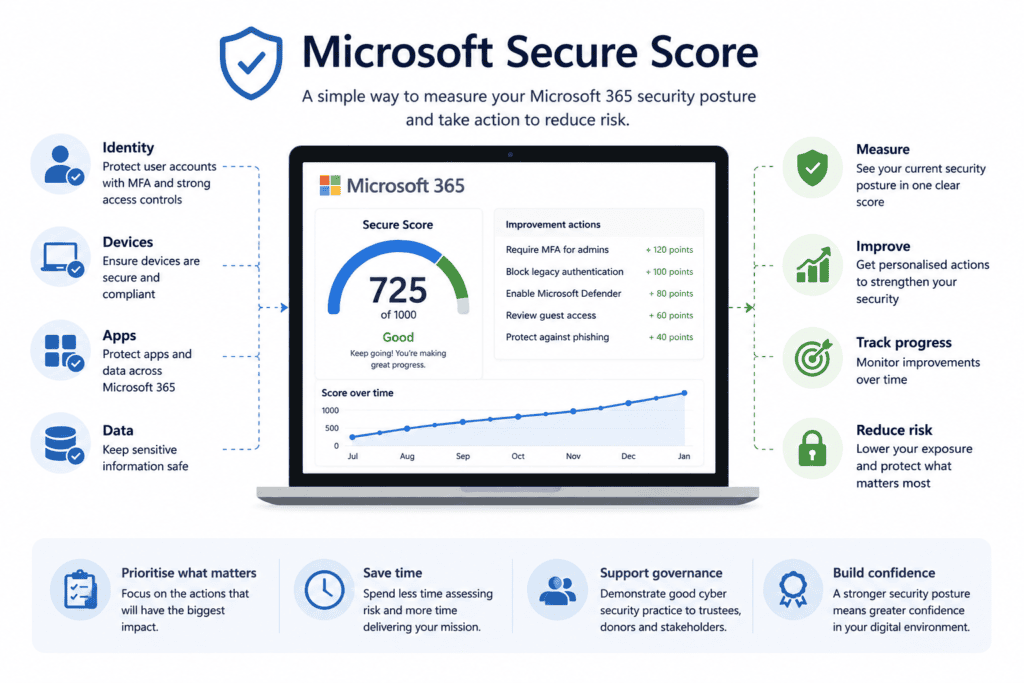
If you can’t measure your security, it’s difficult to improve it.
Microsoft Secure Score provides a measurable view of your security posture and recommends actions to strengthen your Microsoft 365 environment.
Many organisations are surprised to discover they already have access to improvements that require little or no additional investment.
Business benefits
- Prioritises security improvements
- Demonstrates progress to trustees
- Supports strategic planning
Learn more: Microsoft Secure Score for Charities
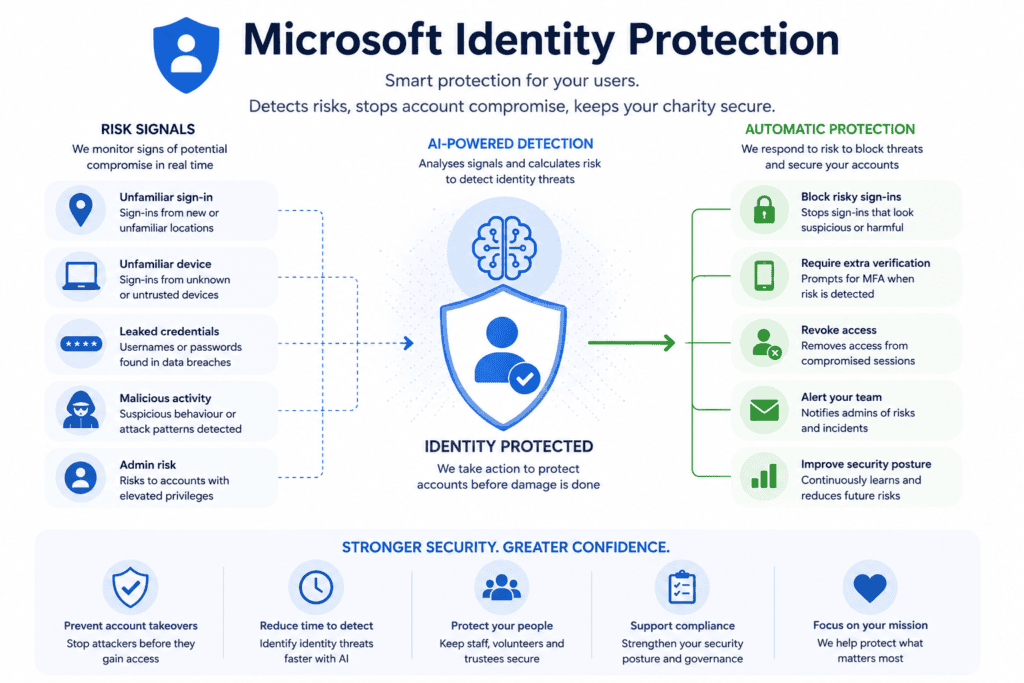
5. Identity Protection
Cyber attacks increasingly target identities rather than infrastructure.
Microsoft Entra Identity Protection analyses sign-in behaviour and user risk, helping identify compromised accounts before they can be exploited.
By combining Identity Protection with Multi-Factor Authentication and Conditional Access, charities can significantly reduce the likelihood of account compromise.
Business benefits
- Detects risky users
- Responds to suspicious sign-ins
- Strengthens Zero Trust security
Learn more: Identity Protection for Charities
6. Email Security
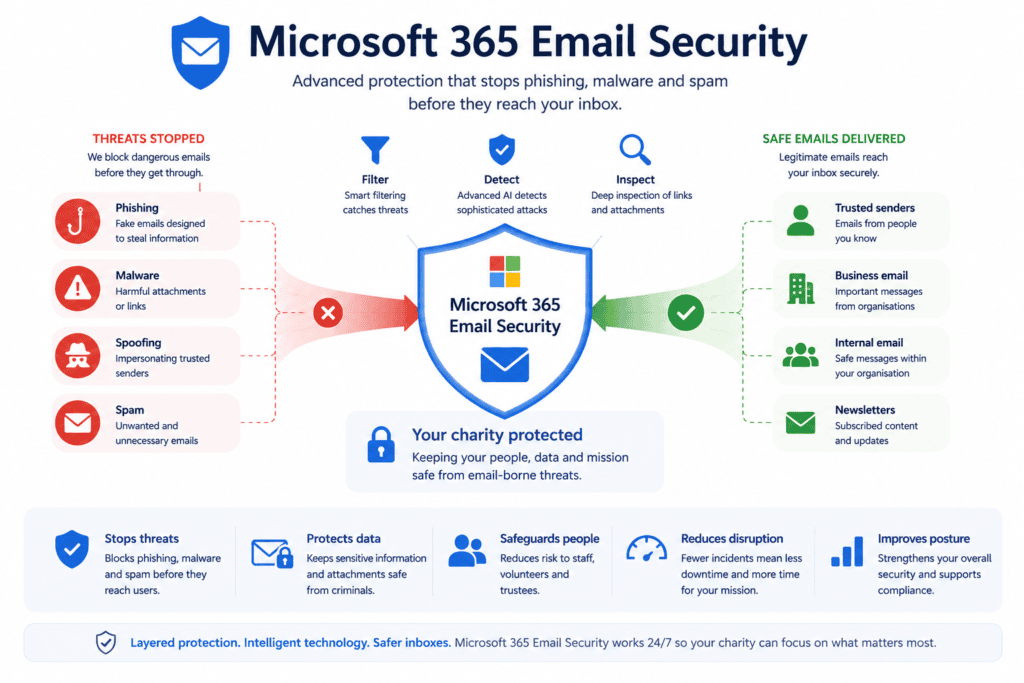
Email remains the most common entry point for cyber attacks.
Advanced email protection helps identify phishing emails, malicious attachments and suspicious links before users interact with them.
Combined with user awareness, strong email security dramatically reduces organisational risk.
Business benefits
- Blocks phishing attempts
- Protects against business email compromise
- Reduces malware infections
Learn more: Email Security for Charities
7. Endpoint Protection
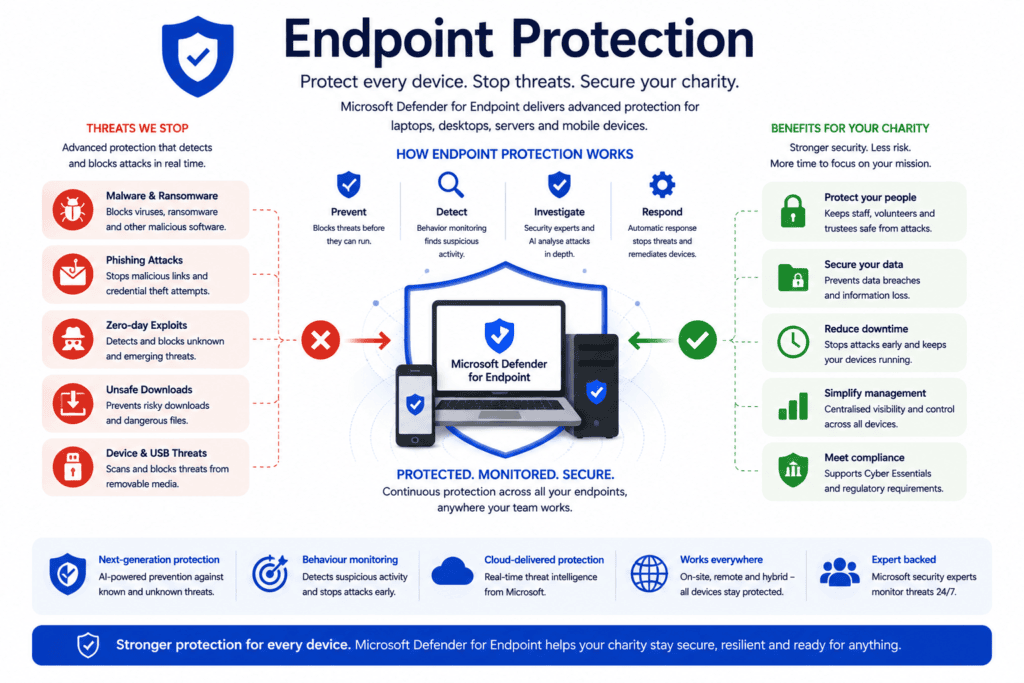
Every laptop, desktop and mobile device connected to Microsoft 365 represents a potential attack surface.
Endpoint Protection ensures devices remain protected through antivirus, endpoint detection and response (EDR), vulnerability management and security monitoring.
Business benefits
- Protects organisational devices
- Detects suspicious activity
- Improves cyber resilience
Learn more: Endpoint Protection for Charities
8. Microsoft 365 Backup & Recovery
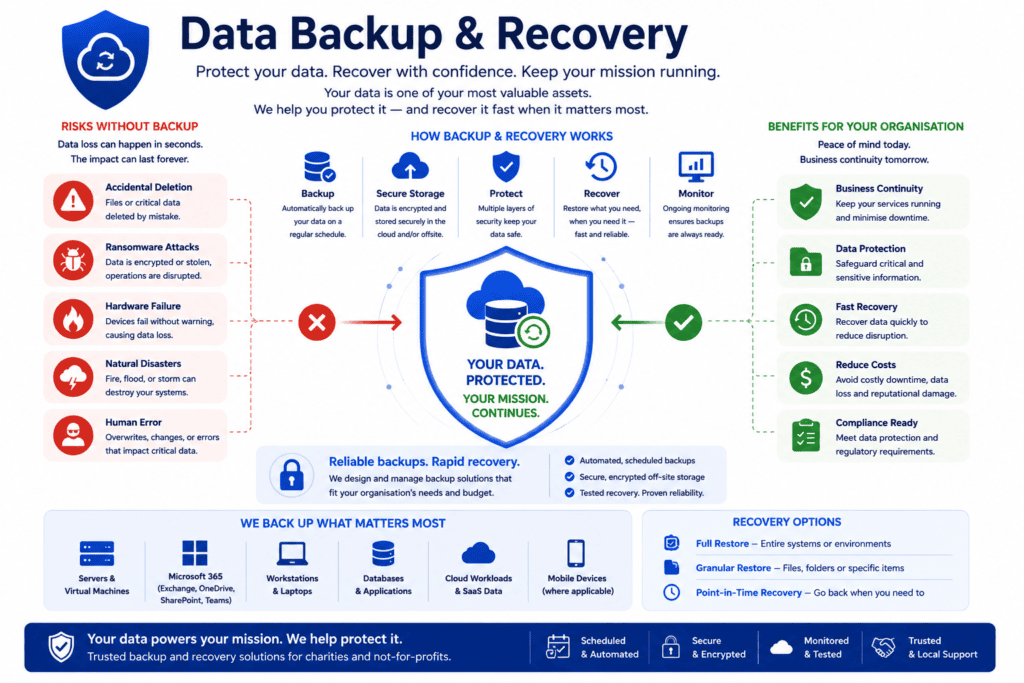
One of the biggest misconceptions about Microsoft 365 is that Microsoft backs up all organisational data indefinitely.
While Microsoft provides service availability, charities remain responsible for protecting their own data.
Independent backups ensure emails, SharePoint sites, Teams conversations and OneDrive files can be recovered when required.
Business benefits
- Protects against accidental deletion
- Supports ransomware recovery
- Improves business continuity
Learn more: Microsoft 365 Backup & Recovery for Charities
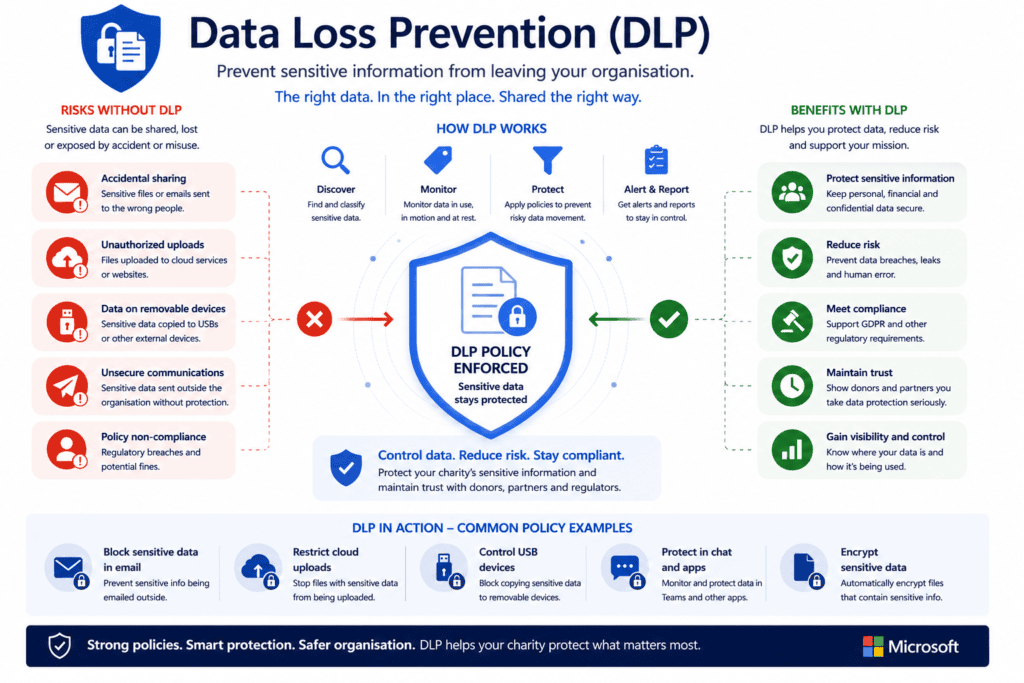
9. Data Loss Prevention (DLP)
Not every security incident is caused by hackers.
Many data breaches occur through accidental sharing of confidential information.
Data Loss Prevention helps identify and prevent sensitive information from leaving your organisation inappropriately.
Business benefits
- Protects donor information
- Supports UK GDPR compliance
- Reduces accidental disclosure
Learn more: Data Loss Prevention for Charities
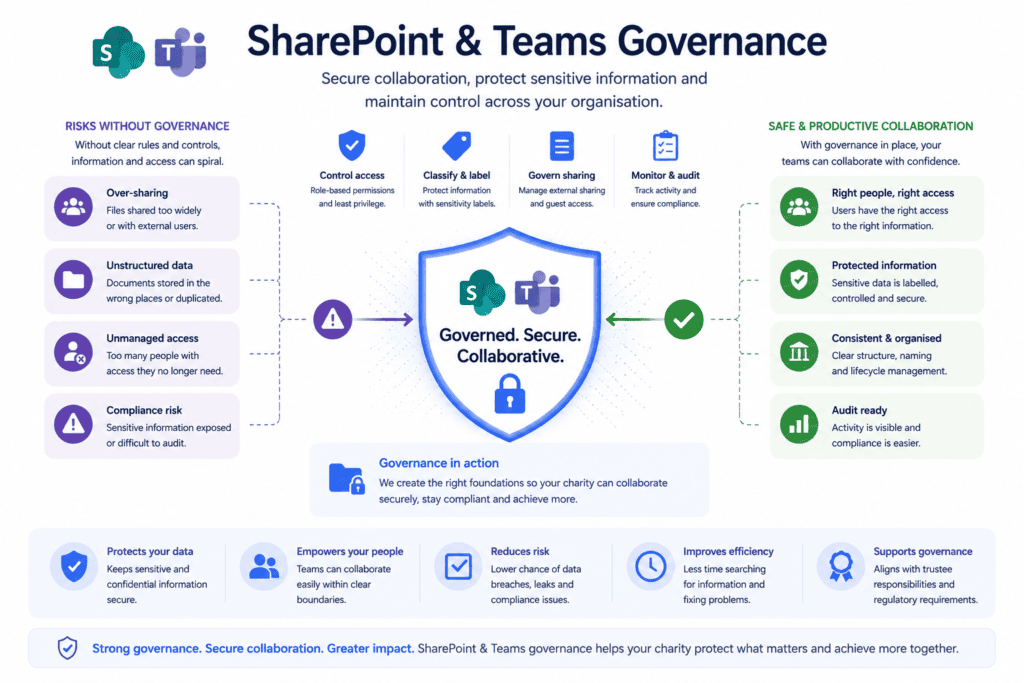
10. SharePoint & Teams Governance
As charities grow, so does the amount of information stored in Microsoft Teams and SharePoint.
Without clear governance, organisations often experience duplicated content, excessive permissions and uncontrolled sharing.
Good governance keeps collaboration secure while ensuring information remains organised and accessible to the right people.
Business benefits
- Controls information sharing
- Improves collaboration
- Strengthens information governance
Learn more: SharePoint & Teams Governance for Charities
Security works best as a framework, not individual controls
One of the biggest mistakes organisations make is implementing individual security features without considering how they work together.
For example:
- Multi-Factor Authentication protects identities.
- Conditional Access decides when users can sign in.
- Microsoft Defender detects and responds to threats.
- Secure Score measures progress.
- Data Loss Prevention protects information.
- Backup & Recovery ensures resilience when incidents occur.
Together, these controls create multiple layers of defence that significantly reduce cyber risk.
Where should charities start?
If you’re unsure where to begin, we recommend focusing on these four priorities first:
- Enable Multi-Factor Authentication for all users.
- Implement Conditional Access policies
- Review your Microsoft Secure Score
- Protect Microsoft 365 with an independent backup solution
These controls provide a strong foundation that can be expanded over time.
Introducing the Bunker Microsoft 365 Security Framework
To help charities navigate Microsoft 365 security, we’ve created a practical framework covering each of these ten controls in more detail.
Every guide explains:
- What the control does
- Why it matters
- Who it affects
- Business impact
- Implementation guidance
- Related controls
- Practical next steps
Whether you’re improving your Microsoft Secure Score, preparing for Cyber Essentials or simply looking to strengthen your cyber resilience, the framework provides a clear roadmap to help your organisation move forward with confidence.
Explore the Framework
Start with the complete Microsoft 365 Security Framework for UK Charities, or jump directly to any of the ten controls to learn more about securing your organisation.
