
This guide explains the ten essential Microsoft 365 security controls we recommend for charities to reduce cyber risk, improve governance and strengthen long-term resilience
Bunker Snapshot - MFA at a glance
Estimated reading time 🕒 45 seconds
Everything you need to know about this security control in under 60 seconds.
Business impact
🔴 Security improvement
🔴 Risk reduction
🟢 Operational impact
Very High
Very High
Low
Related Controls
Next Steps
Review your Microsoft 365 MFA configuration and ensure all privileged accounts are protected.
What it does
Adds an extra layer of security by requiring users to verify their identity before accessing Microsoft 365.
Why it matters
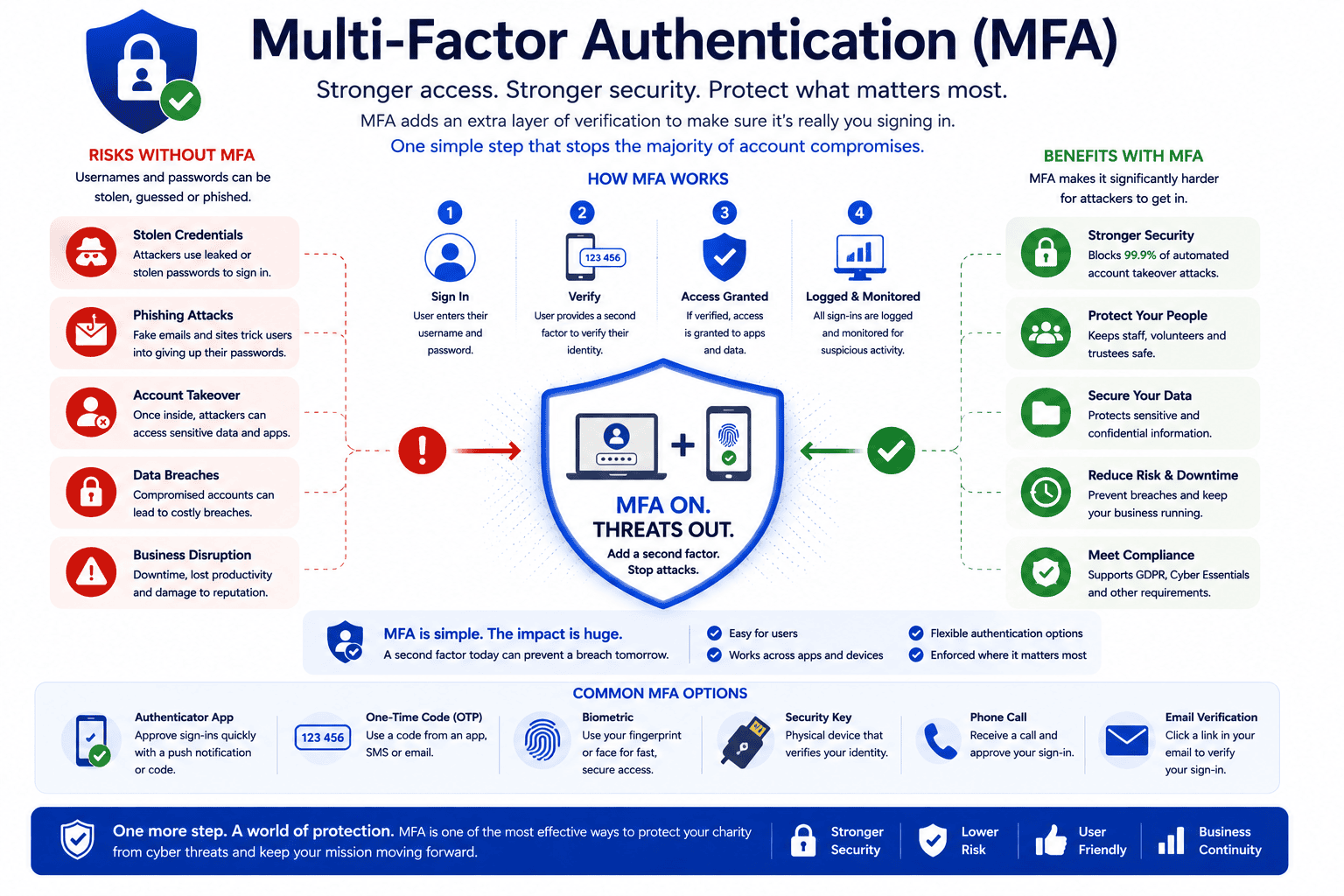
Blocks 99.9% of automated attacks and significantly reduces the risk of account compromise.
Time to implement
⏱ 1–2 hours
Who it affects
All users with access to Microsoft 365 accounts, including admins and trustees.
Implementation difficulty
LOW
Licensing
Included in Microsoft 365. No additional licence required.
Overview
Multi-Factor Authentication (MFA) adds an extra layer of security by requiring users to verify their identity using a second factor, such as the Microsoft Authenticator app.
Why it matters
Passwords can be stolen through phishing, reused credentials or data breaches. MFA helps prevent attackers accessing Microsoft 365 even when a user’s password has been compromised.
Common mistakes
Common mistakes include protecting only administrator accounts, relying solely on SMS verification, failing to support users during rollout and not reviewing MFA registration regularly.
Bunker's Recommended Approach
Require MFA for all users, prioritise Microsoft Authenticator and stronger authentication methods, protect privileged accounts first, and combine MFA with Conditional Access for greater protection.
How We Helped a leading UK Charity
During a recent Microsoft 365 security review for a UK charity with over 100 staff, we discovered that several privileged accounts were not protected with Multi-Factor Authentication. Working with the charity, we:
✔ Enabled MFA for all administrator accounts.
✔ Removed legacy authentication methods.
✔ Reviewed Conditional Access policies.
✔ Increased their Microsoft Secure Score as part of a wider security improvement programme.
Rather than simply enabling MFA, we ensured the controls aligned with the charity’s governance requirements and long-term cyber security strategy.
MFA is one of the simplest and most effective Microsoft 365 security controls a charity can implement, yet many organisations still haven't enabled it for every user.
Ready to review your Microsoft 365 security?
Is Multi-Factor Authentication essential for UK charities?
Yes. Charities store sensitive information including donor records, beneficiary information, financial data and employee details. Enabling MFA is one of the most effective ways to reduce the risk of account compromise and is considered a fundamental security control for organisations of all sizes.
Does Microsoft 365 include Multi-Factor Authentication?
Yes. Microsoft includes MFA with most Microsoft 365 business subscriptions, although the available features depend on your licence. More advanced capabilities, such as risk-based authentication and Conditional Access, require Microsoft Entra ID P1 or Microsoft 365 Business Premium
Should every charity user have MFA enabled?
In almost every case, yes. MFA should be enabled for all users, including staff, volunteers and especially administrator accounts. Administrator accounts are frequently targeted by cyber criminals because they provide access to the organisation’s entire Microsoft 365 environment.
What is the best way to implement MFA?
We recommend using the Microsoft Authenticator app rather than SMS text messages wherever possible. The Authenticator app provides stronger protection against modern attacks and offers a better user experience. MFA should also be combined with Conditional Access policies to provide even greater protection.
How can Bunker help improve our Microsoft 365 security?
Bunker helps UK charities review their Microsoft 365 security configuration, implement Multi-Factor Authentication, configure Conditional Access policies and strengthen overall cyber security. Our Microsoft 365 Security Reviews identify practical improvements that reduce organisational risk while supporting your charity’s operational needs.
Can volunteers use Multi-Factor Authentication?
Yes. Volunteers should use MFA in the same way as permanent staff if they access Microsoft 365. Protecting every account helps prevent unauthorised access and ensures your charity’s information remains secure, regardless of whether the user is an employee, volunteer or trustee.
Bunker Technical Solutions Cyber Security Team | Last reviewed: July 2026
