
This guide explains the ten essential Microsoft 365 security controls we recommend for charities to reduce cyber risk, improve governance and strengthen long-term resilience.
Bunker Snapshot - Microsoft Secure Score at a glance
Estimated reading time 🕒 45 seconds
Everything you need to know about this security control in under 60 seconds.
Business impact
| 🔴 Security improvement | Very High |
| 🔴 Risk reduction | High |
| 🟢 Operational impact | Low |
Related Controls
Next Steps
Review your organisation’s current Microsoft Secure Score and identify the highest-impact recommended actions that can be implemented safely.
Prioritise improvements based on risk and business impact rather than simply trying to achieve the highest possible score. Secure Score should be reviewed regularly as Microsoft introduces new recommendations and your Microsoft 365 environment changes.
What it does
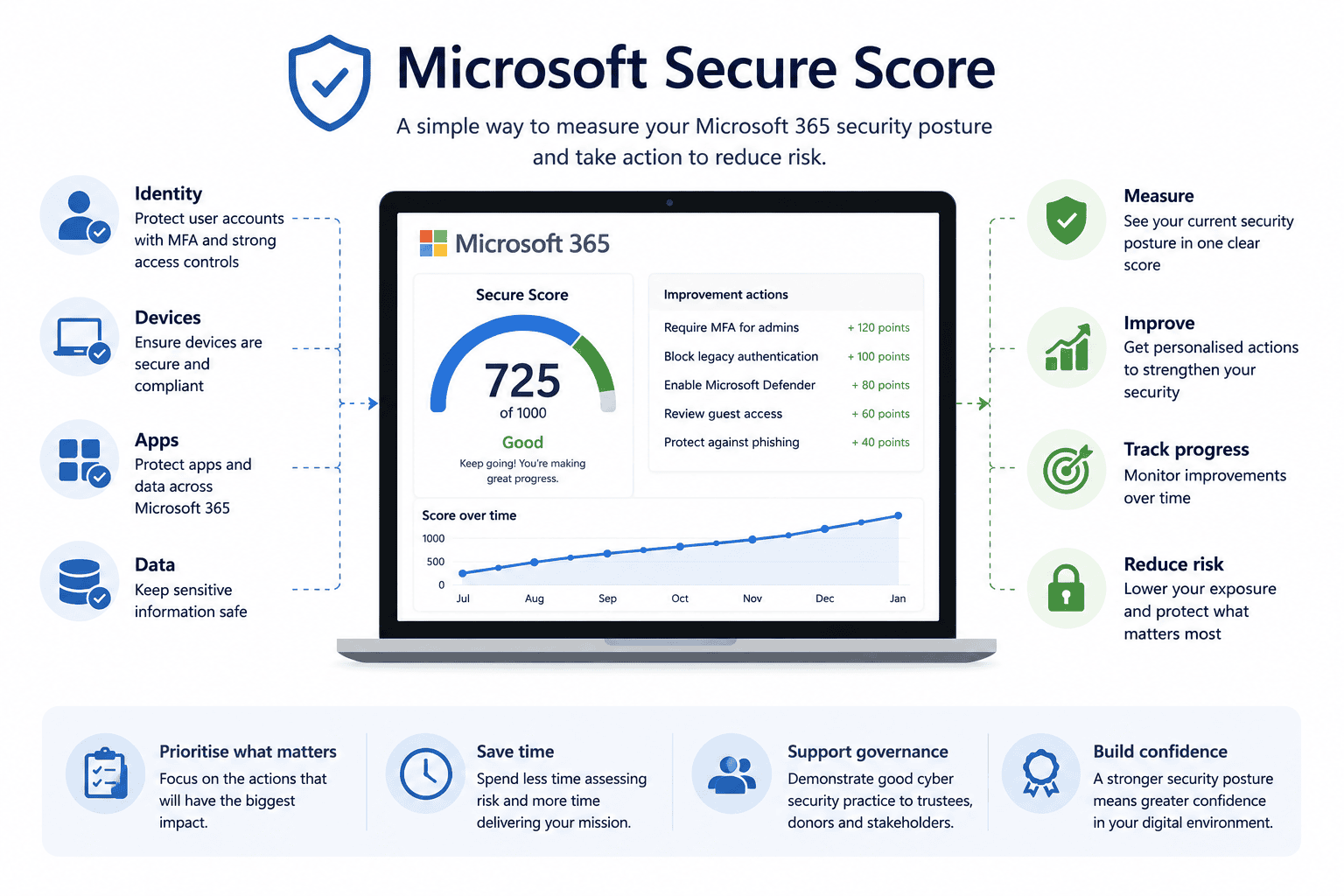
Measures your Microsoft 365 security posture and provides prioritised recommendations to improve protection across identities, devices, data and applications
Why it matters
Helps identify security gaps, prioritise improvements and demonstrate measurable progress over time using Microsoft’s recommended best practices.
Time to implement
⏱ 1–2 Days
(plus ongoing monthly Secure Score reviews)
Who it affects
IT administrators, leadership teams responsible for managing cyber risk and ensuring the organisation remains secure.
Implementation difficulty
Licensing
Improving your Secure Score may require features available in Microsoft 365 Business Premium or higher, depending on the recommendation.
What it is
Microsoft Secure Score is a security measurement tool built into Microsoft 365 that assesses your organisation against Microsoft’s recommended security controls.
It reviews areas including:
- Identity security
- Device security
- Data protection
- Email security
- Application security
- User behaviour
Each completed recommendation contributes towards your Secure Score, helping organisations understand where improvements can be made.
Why it matters
Many charities assume Microsoft 365 is secure because they’re using Microsoft’s cloud services.
In reality, Microsoft provides the tools—but each organisation is responsible for configuring them correctly.
Secure Score helps charities prioritise security improvements by highlighting areas that present the greatest organisational risk.
Rather than relying on guesswork, leadership teams can make informed decisions based on clear recommendations and measurable progress.
Common mistakes
- Chasing the highest possible score rather than reducing real-world risk.
- Ignoring recommendations because they seem too technical.
- Reviewing Secure Score only once during implementation.
- Applying every recommendation without considering organisational impact.
- Treating Secure Score as a compliance exercise instead of an ongoing improvement programme.
Bunker's Recommended Approach
Secure Score should be reviewed regularly as part of your wider cyber security governance process.
Rather than trying to implement every recommendation immediately, focus on those that deliver the greatest reduction in organisational risk while supporting how your charity operates.
A Secure Score review should also consider Cyber Essentials requirements, Microsoft licensing, user awareness, device management and long-term governance—not just the numerical score itself.
One of the biggest misconceptions we see is organisations trying to achieve a "perfect" Secure Score In reality, some recommendations may not be appropriate for every charity. We focus on implementing the controls that reduce the greatest organisational risk rather than simply increasing the number displayed on the dashboard.
How We Helped a UK Charity Improve Their Microsoft Secure Score
During a Microsoft 365 Security Review for a UK charity with more than 120 employees and volunteers, we found that Microsoft Secure Score had never been reviewed despite the organisation already owning Microsoft 365 Business Premium licences.
Working with the charity, we:
- Reviewed Secure Score recommendations.
- Prioritised high-impact security improvements.
- Enabled Multi-Factor Authentication across all users.
- Introduced Conditional Access policies.
- Improved Microsoft Defender configuration.
- Created an ongoing security improvement roadmap.
Rather than chasing a perfect score, the charity focused on the recommendations that delivered the greatest reduction in organisational risk while supporting day-to-day operations
Ready to review your Microsoft 365 security?
What is Microsoft Secure Score?
Microsoft Secure Score is a built-in Microsoft 365 security tool that measures your organisation’s security posture based on Microsoft’s recommended security controls. It provides practical recommendations that help improve your overall cyber security.
Is a higher Secure Score always better?
Not necessarily. While improving your Secure Score generally strengthens security, the goal shouldn’t be achieving a perfect score. Every charity has different operational requirements, so recommendations should be implemented based on organisational risk rather than the score alone.
Does Microsoft Secure Score cost anything?
No. Microsoft Secure Score is included within Microsoft 365 and is available through the Microsoft Defender portal. Some recommendations may require additional Microsoft licences depending on the feature being implemented.
How often should Secure Score be reviewed?
We recommend reviewing Microsoft Secure Score at least once a month or whenever significant changes are made to your Microsoft 365 environment. Regular reviews help identify new recommendations and track security improvements over time.
Can Microsoft Secure Score help with Cyber Essentials?
Yes. While Secure Score is not a Cyber Essentials assessment, many of its recommendations support security controls that align with Cyber Essentials and Cyber Essentials Plus requirements. It should be viewed as one part of a wider cyber security strategy.
How can Bunker help?
Bunker helps UK charities interpret Microsoft Secure Score, prioritise security improvements and develop practical action plans that reduce organisational risk. Rather than simply increasing a score, we focus on implementing the controls that make the greatest difference to your charity’s security.
Bunker Technical Solutions Cyber Security Team | Last reviewed: July 2026
