What Is Microsoft Secure Score? A Guide for UK Charities
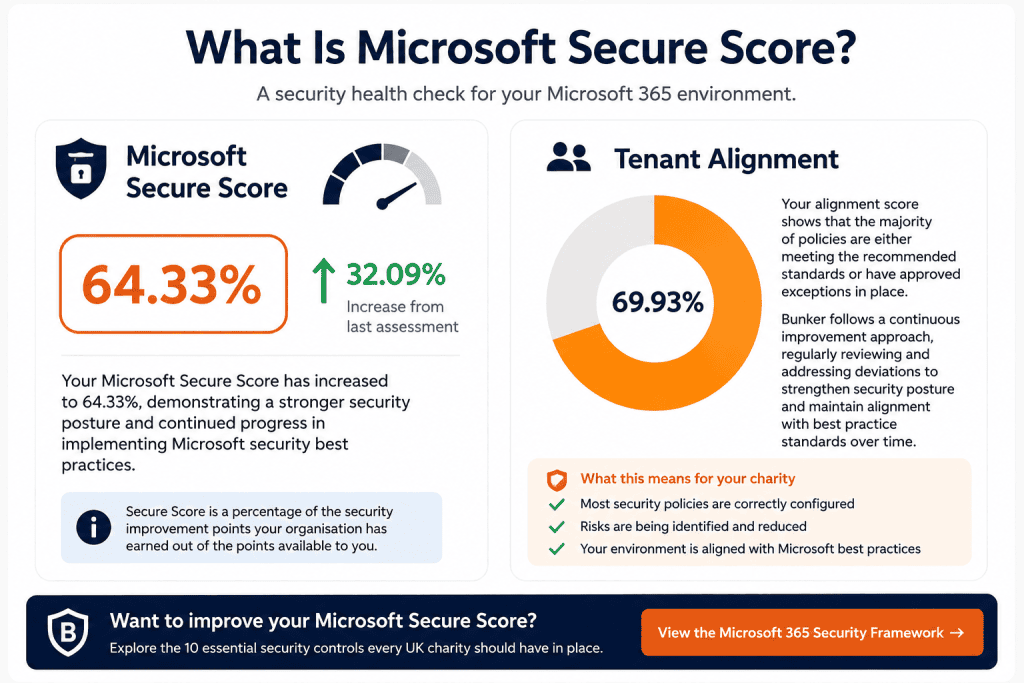
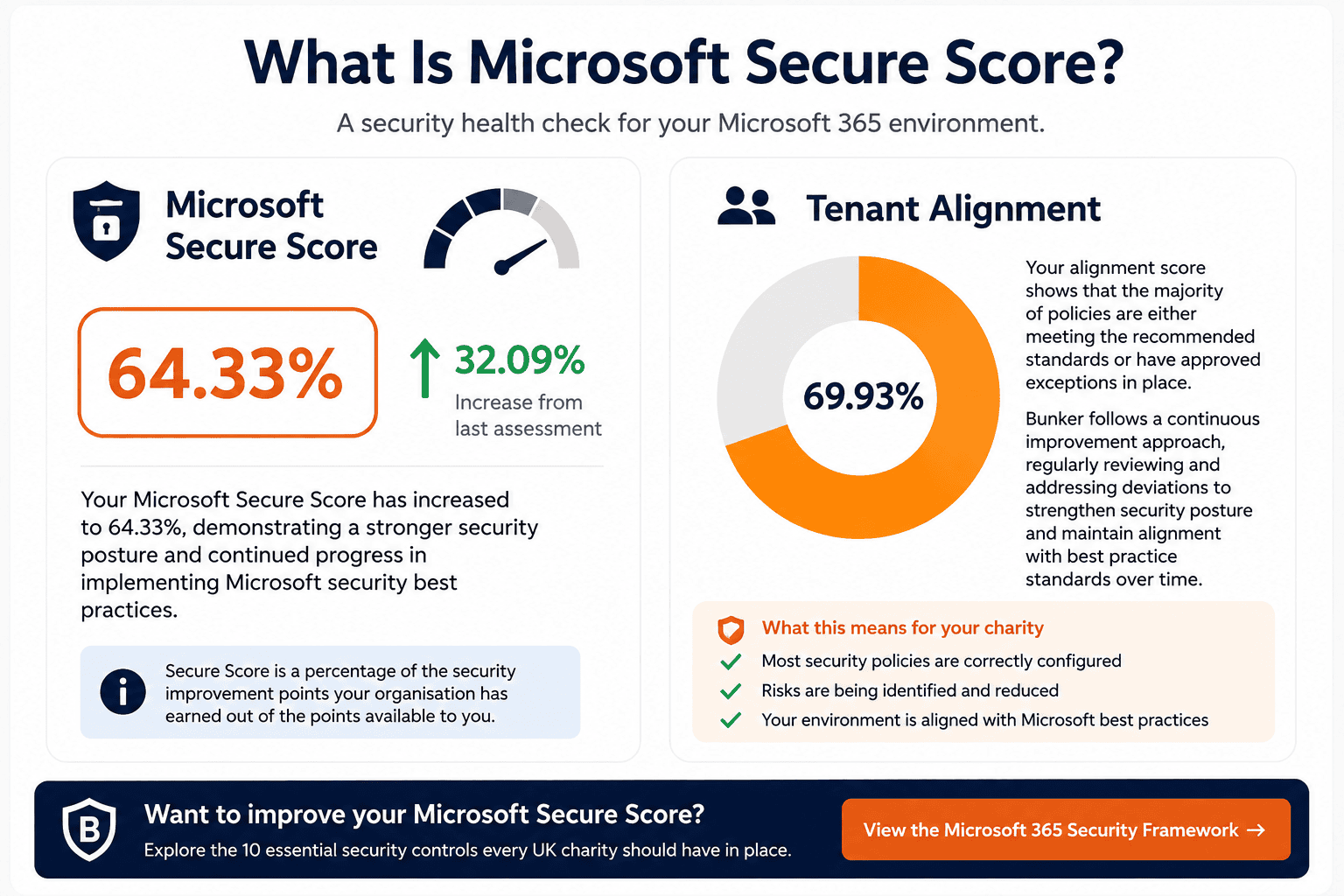
Microsoft Secure Score is a measurement within Microsoft 365 that helps organisations understand their current security posture and identify actions that could improve it.
Think of it as a security health check for your Microsoft 365 environment.
Microsoft assesses which recommended security controls have been implemented, awards points for completed actions and highlights further improvements your organisation could make.
For UK charities, Secure Score can be particularly useful because it provides a practical way to identify security gaps in Microsoft 365 without immediately investing in additional security products.
How Does Microsoft Secure Score Work?
Microsoft Secure Score reviews security settings across your Microsoft environment and compares them against Microsoft’s recommended security actions.
Points can be awarded for implementing controls such as:
- Multi-Factor Authentication (MFA)
- Conditional Access policies
- Identity protection
- Microsoft Defender security settings
- Email protection
- Device and endpoint security
- Data protection controls
Your Secure Score is then shown as a percentage of the points currently achieved against the points available to your organisation.
The important thing to understand is that Secure Score isn’t simply a pass or fail test.
Instead, it provides a prioritised list of actions that can help you progressively strengthen your Microsoft 365 security.
What Is a Good Microsoft Secure Score?

There isn’t one Secure Score percentage that every charity should aim for.
The available points depend on your Microsoft licences, services and configuration, and some recommendations may not be appropriate for the way your organisation operates.
For that reason, charities shouldn’t treat 100% as the objective.
A better approach is to use Secure Score as a continuous improvement tool.
For example, if your charity currently has a Secure Score of 45%, the immediate question shouldn’t necessarily be:
“How do we get to 100%?”
It should be:
“Which available improvements would reduce our greatest risks?”
That distinction matters.
What Does Microsoft Secure Score Measure?
Secure Score brings recommendations from several areas of Microsoft security into one place.
These can include:
- Identity
Recommendations designed to protect Microsoft 365 accounts and administrator access. Examples can include MFA, authentication methods and privileged account protection. - Devices
Actions relating to the security and management of computers, laptops and mobile devices accessing organisational data. - Applications
Recommendations that help control how users and applications access Microsoft 365 services and organisational information. - Data
Controls designed to reduce the risk of sensitive information being accidentally or deliberately exposed.
Secure Score therefore provides a useful high-level view across several of the controls that form part of Bunker’s Microsoft 365 Security Framework for UK Charities.
Why Does Secure Score Matter for UK Charities?
Charities can hold significant amounts of sensitive information, including donor details, financial records, employee information, beneficiary data and confidential communications.
At the same time, many charities have limited internal IT and cyber security resources.
Secure Score helps make Microsoft 365 security more manageable by identifying specific improvements rather than simply telling an organisation that it needs to “improve cyber security”.
For example, a charity might discover that:
- MFA isn’t consistently enforced
- administrator accounts require additional protection
- security policies haven’t been fully configured
- devices aren’t meeting expected security standards
- email security settings could be strengthened
That gives the organisation a practical list of areas to investigate.
A Simple Secure Score Example

Imagine a charity with 75 employees using Microsoft 365.
Its Secure Score identifies several outstanding recommendations.
Rather than attempting to implement every recommendation immediately, the charity could prioritise improvements using a simple framework:
- Identify the highest-risk gaps
Start with controls protecting identities, administrator accounts and access to Microsoft 365. - Assess the operational impact
Understand how each change could affect staff, volunteers and existing working practices. - Implement the priority controls
Introduce changes in a controlled way, testing them before organisation-wide deployment where appropriate. - Review the result
Monitor Secure Score to see how the changes affect the organisation’s security posture. - Repeat
Review new recommendations and continue improving over time.This makes Secure Score much more useful than simply chasing a percentage.
Should Charities Try to Achieve a 100% Secure Score?
Generally, no.
A 100% Secure Score shouldn’t automatically be treated as evidence that an organisation is completely secure.
Some recommendations may not be relevant to your environment, while implementing others could introduce unnecessary complexity or affect how staff and volunteers work.
Secure Score also represents only part of an organisation’s wider cyber security posture.
For example, charities still need to consider areas such as independent backups, staff awareness, incident response, governance and other security controls.
The objective should therefore be to achieve an appropriate level of security for your organisation’s risks, rather than pursuing a perfect number.
How Often Should a Charity Review Microsoft Secure Score?
We recommend treating Secure Score as an ongoing security management tool rather than a one-off exercise.
A practical approach is to review it at least monthly, as well as following significant changes to your Microsoft 365 environment.
This allows your organisation to identify new recommendations, track improvements and prevent security configuration from gradually falling behind.
Bunker’s Recommended Approach
We recommend that charities use Microsoft Secure Score as part of a wider Microsoft 365 security review.
Start by establishing your current score and reviewing the recommended improvement actions.
Then prioritise them according to:
- Security risk
- Potential impact
- Implementation complexity
- Licensing requirements
- How your charity actually works
Secure Score shouldn’t dictate your security strategy.
It should inform it.
Combined with controls such as MFA, Conditional Access, Microsoft Defender and Identity Protection, it provides a useful way to measure progress and identify where attention should be focused next.
Review Your Microsoft 365 Security
Microsoft Secure Score can tell you where improvements may be possible. The harder part is deciding which recommendations matter most and how they should be implemented safely.
Bunker’s Microsoft 365 Security Framework for UK Charities covers 10 essential security controls we recommend charities review to reduce cyber risk, strengthen governance and make better use of the Microsoft 365 security capabilities available to them.