
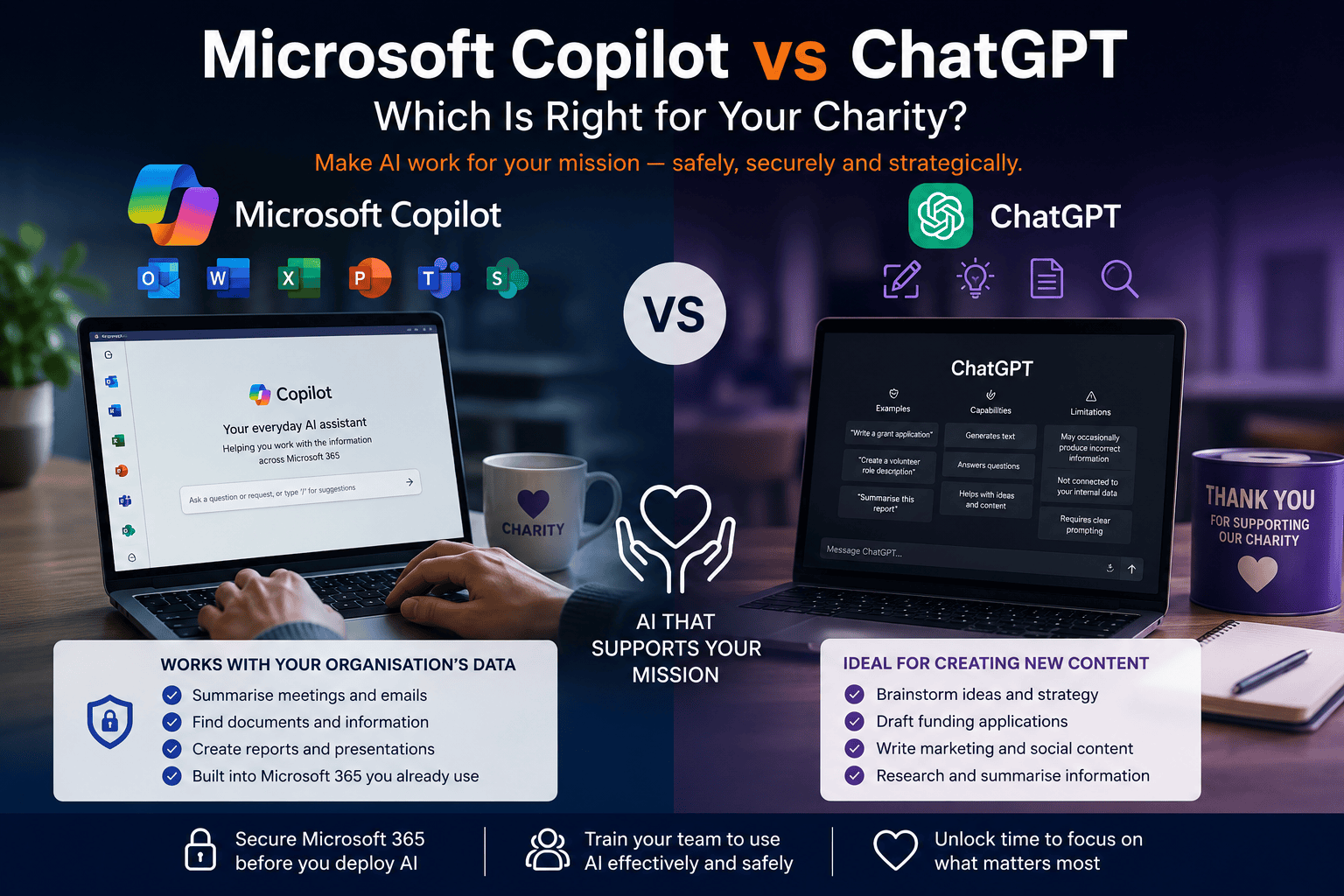
Microsoft Copilot vs ChatGPT: Which Is Better for Charities? Make Ai work for your mission
-
11/08/2026
- 7 minutes Read
AI is changing how charities work
Whether you’re writing funding applications, preparing trustee reports or analysing fundraising data, Artificial Intelligence (AI) has the potential to save your team valuable time.
For many charities, the first question is:
Should we use Microsoft Copilot or ChatGPT?
The answer is that both have their place.
ChatGPT is excellent for creating new content and generating ideas.
Microsoft Copilot is designed to help your staff work more efficiently using the information already stored within Microsoft 365.
The challenge isn’t choosing between them.
The challenge is making sure your charity is ready to use AI safely.
What is ChatGPT good at?
Think of ChatGPT as your creative assistant.
It’s particularly useful for:
- Drafting funding applications
- Writing volunteer role descriptions
- Creating fundraising campaigns
- Summarising long reports
- Brainstorming event ideas
- Simplifying technical information
- Producing first drafts of policies
It’s incredibly useful…
…but it doesn’t understand your charity’s internal information unless you deliberately provide it.
What is Microsoft Copilot good at?
Microsoft Copilot works differently.
Rather than helping you create something from scratch, it helps you use the information your charity already owns.
For example, Copilot can help:
- Summarise Teams meetings
- Draft emails using Outlook conversations
- Find documents in SharePoint
- Analyse fundraising spreadsheets
- Create board papers from existing reports
- Produce PowerPoint presentations from Word documents
For organisations already using Microsoft 365, Copilot can become a valuable everyday assistant.
The Biggest Difference Isn’t AI—It’s Your Data
This is where many organisations misunderstand Microsoft Copilot.
Copilot doesn’t magically know everything.
It works within the permissions that already exist inside Microsoft 365.
That means if someone has access to a confidential HR folder today, Copilot can help them find information in that folder more quickly.
Likewise, if a volunteer can already access documents they shouldn’t, Copilot doesn’t create that problem—but it can make existing permission issues much easier to discover.
AI shines a brighter light on your existing Microsoft 365 security.
For charities that have grown over many years, it’s common to find:
- SharePoint sites everyone can access
- Old volunteer accounts that were never removed
- Trustees with broader permissions than they need
- Sensitive HR or finance folders inherited by the wrong people
- Years of files with inconsistent permissions
These aren’t Copilot problems.
They’re Microsoft 365 governance problems that become much more important once AI is introduced.
Before You Deploy Copilot, Review Your Microsoft 365 Security
We believe every charity should complete a Microsoft 365 security review before rolling out Microsoft Copilot.
Our Microsoft 365 Security Framework for Charities helps organisations understand whether their Microsoft 365 environment is ready for AI.
We assess areas including:
- SharePoint permissions and information access
- Microsoft Teams governance
- Identity and Multi-Factor Authentication (MFA)
- External sharing settings
- Data protection controls
- User lifecycle management for staff, volunteers and trustees
- Microsoft Secure Score and security configuration
The outcome is a clear roadmap showing where improvements should be made before introducing AI more widely.
That means you can adopt Microsoft Copilot with confidence, knowing your information is accessible to the right people—and protected from everyone else.
AI Success Starts With People, Not Technology
Even with the right security in place, people need to understand how to use AI effectively.
Many organisations buy Copilot licences expecting instant productivity improvements.
Without training, adoption often stalls because staff simply don’t know where AI adds value.
That’s why we’ve developed our Microsoft Copilot Masterclass for Charities
The programme helps organisations:
- Understand Microsoft Copilot and its capabilities
- Learn effective prompting techniques
- Explore practical charity use cases
- Discover how Microsoft Copilot Agents can support everyday work
- Identify the highest-value opportunities across different teams
Participants also receive:
- Prompting guides and training materials
- Two instructor-led workshops
- Tailored recommendations for their organisation
- Practical guidance to support long-term adoption
Rather than teaching AI theory, the Masterclass focuses on helping charity teams use Copilot confidently in their day-to-day roles.
Which Should Your Charity Choose?
For many charities, the answer isn’t Copilot or ChatGPT.
It’s using each tool for what it does best.
| ChatGPT | Microsoft Copilot |
|---|---|
| Research and brainstorming | Working with Microsoft 365 content |
| Funding application first drafts | Summarising Teams meetings |
| Marketing content | Outlook email assistance |
| Volunteer communications | Word, Excel and PowerPoint productivity |
| General knowledge | Finding internal documents |
| Creative thinking | Organisation-wide productivity |
Together, they can help reduce administration, improve collaboration and free staff to focus more time on delivering services.
How Bunker Can Help
Successful AI adoption isn’t just about purchasing licences.
It’s about making sure your charity is ready.
At Bunker, we recommend a simple three-step approach:
Step 1: Secure your Microsoft 365 environment
Review permissions, SharePoint access, identity management and governance using our Microsoft 365 Security Framework.
Step 2: Train your people
Through our Microsoft Copilot Masterclass, we’ll help your teams understand how to use AI safely and productively.
Step 3: Build your AI roadmap
We’ll identify the highest-value use cases, recommend where AI will deliver the greatest return and help you introduce it in a way that supports your mission.
By combining governance, security and practical training, charities can adopt AI with confidence—protecting sensitive information while giving staff the tools to work more efficiently.
Is Microsoft Copilot better than ChatGPT for charities?
Not necessarily. ChatGPT is excellent for creating new content and researching ideas, while Microsoft Copilot is designed to help staff work more efficiently with the information already stored in Microsoft 365. Many charities benefit from using both.
Can Microsoft Copilot see every document in SharePoint?
No. Copilot only accesses content a user already has permission to view. However, if SharePoint permissions haven’t been reviewed, Copilot can make existing access issues easier to discover, which is why a permission review is important before deployment.
Should charities review SharePoint permissions before deploying Copilot?
Yes. AI relies on the permissions already configured within Microsoft 365. Reviewing SharePoint sites, Teams, user access and external sharing helps ensure sensitive information is only available to the right people.
Is ChatGPT safe for charities?
It can be, provided charities have clear AI governance, staff training and policies about what information can be shared with AI tools. Confidential donor, beneficiary and employee information should always be handled carefully.
Do we need to train staff before introducing Microsoft Copilot?
Absolutely. The organisations that see the greatest return from Copilot are those that provide practical training, identify role-specific use cases and help staff understand how AI fits into their daily work.
How can Bunker help?
Bunker helps charities adopt AI with confidence through a combination of security, governance and training.
Our Microsoft 365 Security Framework prepares your Microsoft 365 environment for AI by reviewing permissions, security controls and governance, while our Microsoft Copilot Masterclass equips staff with the knowledge and practical skills to use Copilot effectively.
Together, they provide a structured, low-risk approach to AI adoption that delivers real value for your charity.
